Real tools. Real help.

Bring us your hardest problems.

Stuck? Behind schedule again? Let us get you going.

  • Always doing the same things over and over?
  • Ever asked yourself, 'There's got to be a better way.'?
  • Keep running into the same obstacles?

Custom tools and automations that get work done so you can focus on what matters.

Where does it hurt?

What to include and what happens next

    rbsn.ai products

    Hard problems. Now tools.

    We solved these problems. Then we built tools to help with the next job.

    PDF2Steel

    We built a tool that turns house plan PDFs into Revit models into fabrication ready details - in hours not days or weeks

    Open PDF2Steel
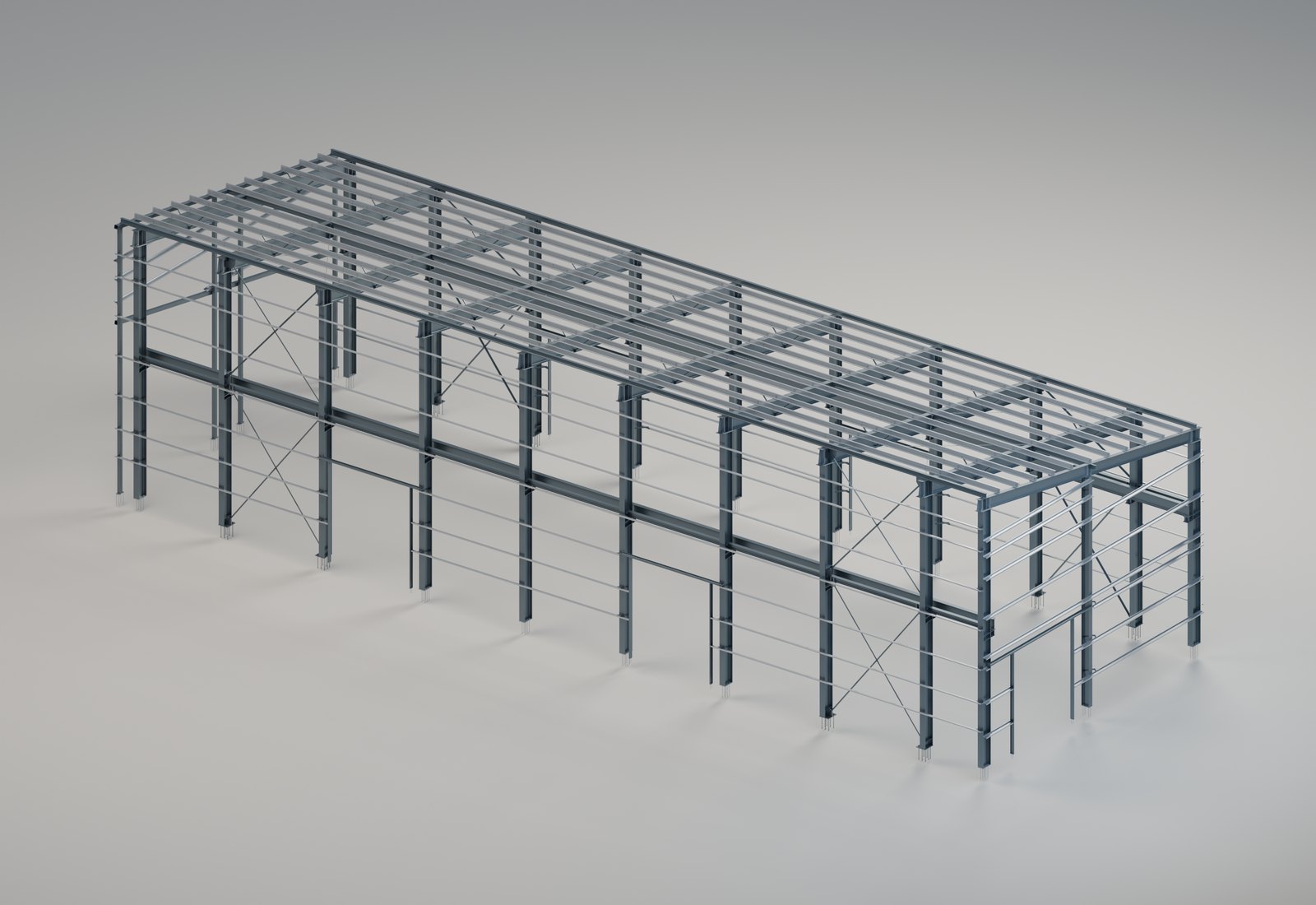
    A steel building frame modeled from the plans: columns, beams, girts and bracing
    The frame, from the plans.
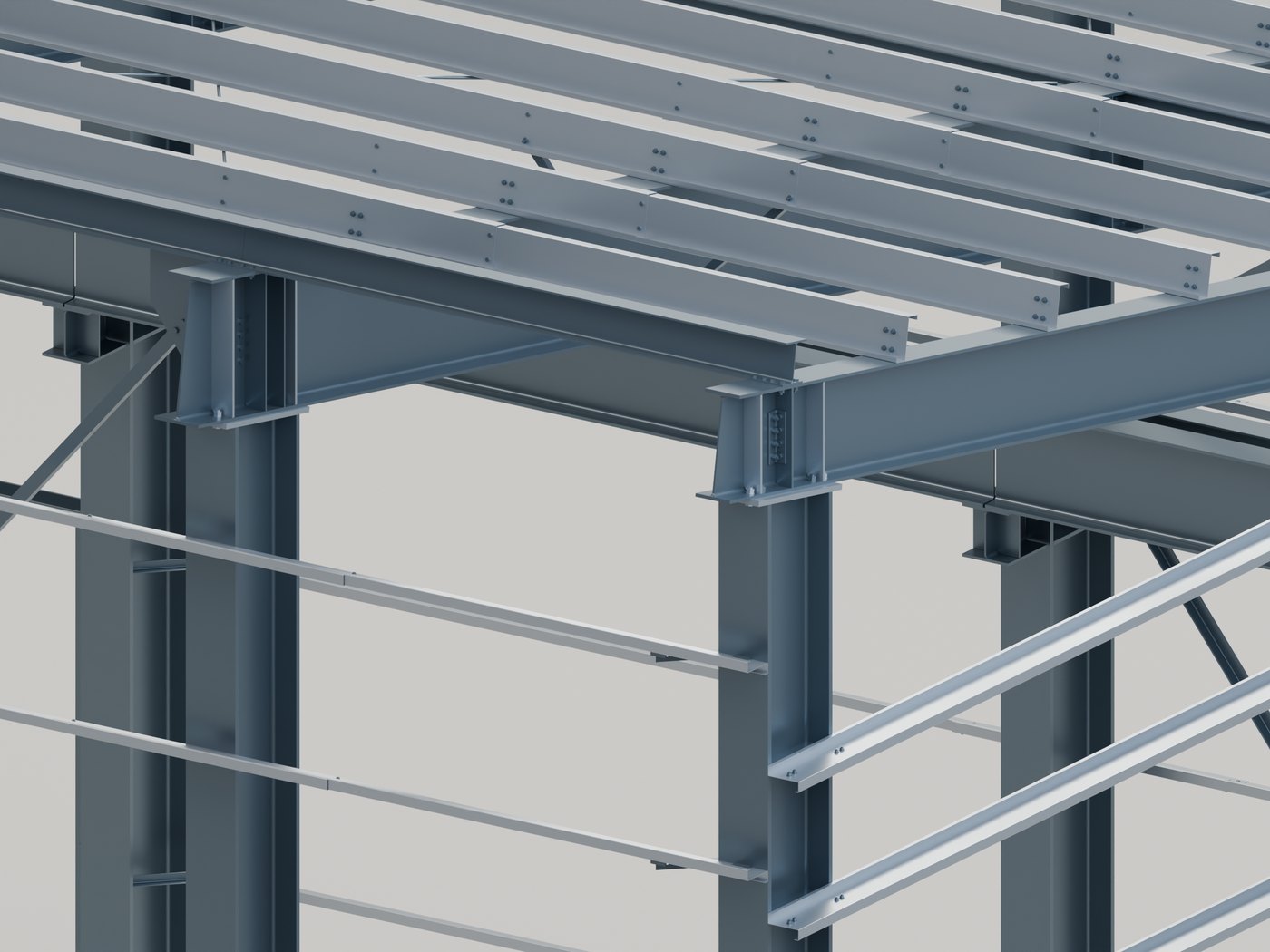
    Close view of bolted beam-to-column connections in the same steel model
    Bolted connections, modeled.
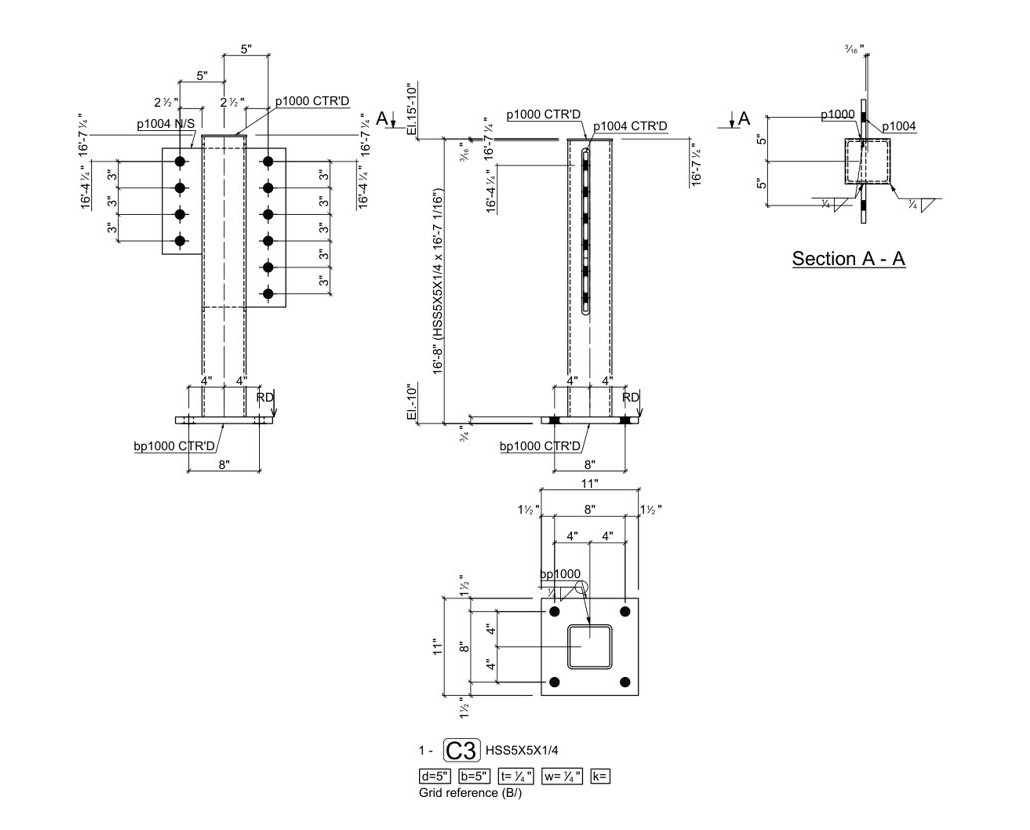
    A column shop drawing with dimensions, plates, bolts and a material list
    Shop drawings for the fabricator.

    PDF2Concrete

    Ever wanted a magic box that could turn plans into concrete takeoffs, including rebar and formwork? We made that.

    Open PDF2Concrete
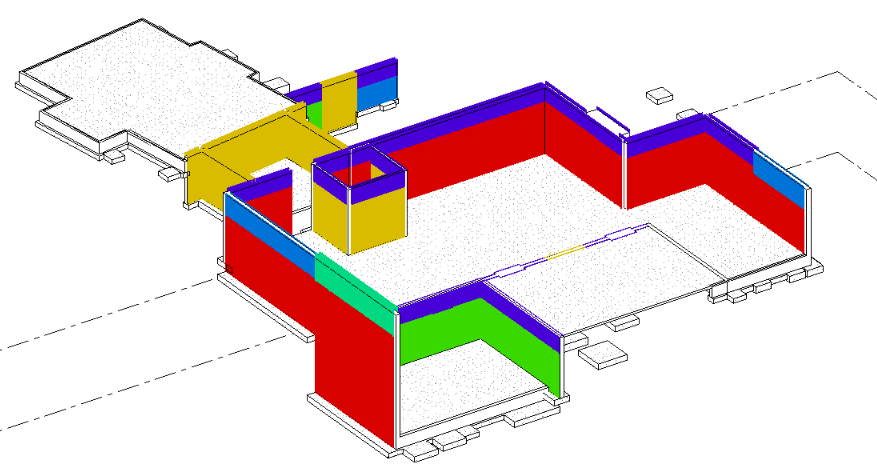
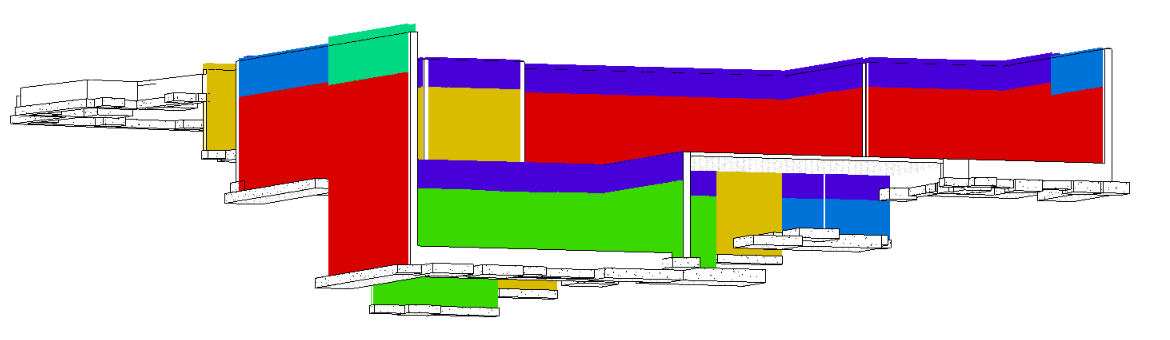
    Concrete foundation walls and footings modeled in Revit, seen from above
    Walls and footings from the plans.
    The same foundation walls and footings in Revit, seen from the side
    Modeled so every quantity can be checked.

    CAD2BIM

    Need to rebuild a CAD file? Our tool turns it into a Revit model you can edit.

    Open CAD2BIM
    Steel tower CAD lines in Revit beside the Dynamo tool
    The start: CAD lines.
    Steel tower with beams and columns placed in Revit by the Dynamo tool
    The result: Revit steel.
    Watch it work. Select the CAD lines, then run the tool to place the columns and beams. No sound.

    Before you bring us a tool or workflow problem

    Project-specific scope and pricing. The inquiry confirmation states a reply within 24 hours. Tool-development scope, cost and delivery are agreed after reviewing the problem.

    Start with a description. This inquiry form does not accept file attachments.

    Show the current task
    Explain what your team does now, which steps repeat or fail, how often it happens, and what a successful result would look like. Choose the closest inquiry type, including ‘Not sure yet’ when appropriate.
    Describe the environment and examples
    State the relevant Revit and Dynamo versions, add-ins, model/template standards and deployment constraints. Describe representative input and expected output; arrange file sharing with the contact after the inquiry.
    Agree what will be built
    Confirm whether the scope is consulting, a script, an add-in, a reusable tool or another workflow change. Agree acceptance examples, supported versions, installation, licensing or source ownership, ongoing support, price and delivery.
    Choose the right service
    Use rbsn.ai for tools, automation and reusable processes, including CAD2BIM. Use design.rbsn3d.com for freelance Revit modeling and drafting support on a project.
    Start with the inquiry form
    Name, email, inquiry type and details are required. Phone and company are optional. The form has no file-upload control and does not grant access to your systems or authorize paid work.

    Working through an assistant? Read this service’s agent guide.

    Let us work it out.

    1. 01

      Show us.

      Bring the files and the problem.

    2. 02

      Make a plan.

      We agree on the work and the cost.

    3. 03

      Build and check.

      We test it on your work.